


A 4K Portable Monitor gives you more screen detail without requiring a permanent desk setup. If you work remotely, review high-resolution images, or need extra screen space while traveling, a conventional laptop display may limit your workspace. A portable 4K screen can help you manage multiple applications, inspect visual details, and present content more comfortably. However, resolution alone does not determine whether a monitor suits your needs. You should also consider panel technology, color coverage, touch functionality, connectivity, and battery life. Shenzhen Weichensi Technology Co., Ltd. offers portable display solutions with these practical requirements in mind. Its 4K portable monitor combines an IPS panel, capacitive 10-point touch, and a built-in battery, giving you a flexible second-screen option for work, study, and entertainment.
What Makes a 4K IPS Portable Monitor Useful?
A 4K IPS Portable Monitor combines high pixel density with an IPS panel designed to provide wide viewing angles. These features are useful when you need to inspect detailed content or share your screen with colleagues.
The right configuration can improve your mobile workspace in several ways:
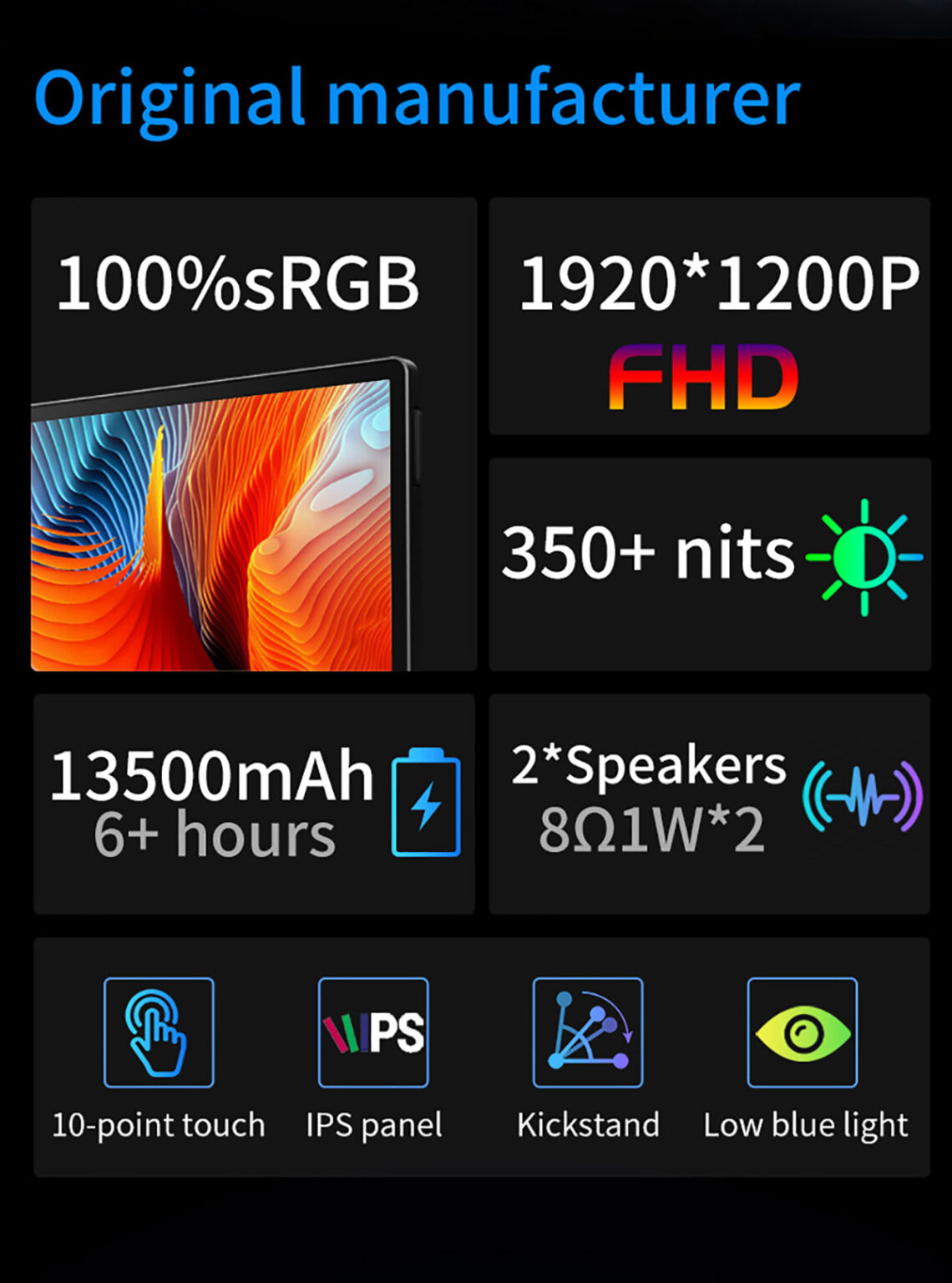
- 4K UHD resolution: The 3840 × 2160 resolution provides detailed images for reviewing graphics, documents, and compatible video content.
- IPS panel: Wide viewing angles help maintain a consistent viewing experience when you look at the screen from different positions.
- 100% DCI-P3 color gamut: Broad color coverage supports color-focused workflows, although accurate professional color matching also depends on calibration and other display characteristics.
- 16:10 aspect ratio: The taller workspace can make spreadsheets, documents, and coding interfaces more convenient to view.
- 10-point capacitive touch: Touch input lets you interact directly with compatible applications and devices.
These features make the monitor suitable for users who need more than a basic external screen. However, you should confirm device compatibility and the requirements of your software before purchasing.
4K Portable Monitor Specifications
Shenzhen Weichensi Technology Co., Ltd. develops display terminal devices for commercial, industrial, and other application environments. The following specifications describe the portable monitor configuration provided for this product.
| Specification | Details |
|---|---|
| Screen size | 15.6 or 17.3 inches, depending on model |
| Resolution | 3840 × 2160 (4K UHD) |
| Panel type | IPS, wide viewing angle |
| Touchscreen | Capacitive 10-point touch |
| Color gamut | 100% DCI-P3 |
| Brightness | 400 nits |
| Aspect ratio | 16:10 |
| Built-in battery | 13,500 mAh |
| Battery life | Up to 7 hours, depending on usage |
| Connectivity | USB-C with DP Alt Mode, HDMI, optional USB-A |
USB-C video output requires a compatible device and port that supports DisplayPort Alternate Mode. HDMI can provide another connection option, but the required cables, power arrangements, and touch functionality may vary by device and configuration.
How to Choose a Portable 4K Monitor for Your Work
Before selecting a model, consider how you intend to use the screen. A monitor that works well for office documents may also support creative tasks, but your connection and color requirements will determine the best setup.
1. Check Your Screen Size Requirements
Choose the 15.6-inch version if you prioritize compact dimensions for commuting or business travel. The 17.3-inch version may suit you better if you need a larger viewing area for multitasking or presentations.
Confirm the exact size available for your chosen model before ordering.
2. Verify Resolution and Color Needs
A 4K display is useful when you need to inspect fine details in photographs, graphics, and high-resolution content. The stated 100% DCI-P3 coverage is also relevant to creative workflows.
If you handle color-critical production, ask the supplier about calibration, color accuracy tolerances, and supported color profiles rather than relying on gamut coverage alone.
3. Confirm Connectivity and Touch Support
Review the available ports on your laptop, tablet, or other source device.
- Use USB-C with DisplayPort Alternate Mode when your device supports compatible video output.
- Consider HDMI when your device provides HDMI output.
- Verify touchscreen support and any additional power requirements before connecting your equipment.
4. Estimate Your Battery Requirements
The built-in 13,500 mAh battery provides up to seven hours of use under suitable conditions. Actual runtime depends on brightness, connected devices, operating conditions, and workload.
If you plan to work through a full business day, consider whether you will have access to a charger or another power source.
4K Portable Monitor vs. Standard Portable Monitor
The main difference is the combination of resolution and display features, not portability alone. Compare the specifications that matter to your workflow before making a decision.
| Comparison factor | Weichensi 4K portable monitor | Standard portable monitor |
|---|---|---|
| Resolution | 3840 × 2160 | Varies by model |
| Panel | IPS | Varies by model |
| Color coverage | 100% DCI-P3 | Varies by model |
| Touch | 10-point capacitive | Optional or unavailable |
| Battery | Built-in 13,500 mAh | Depends on model |
| Runtime | Up to 7 hours | Depends on model |
| Screen size | 15.6 or 17.3 inches | Varies by model |
A standard portable monitor may be sufficient for basic documents and everyday tasks. However, if your work benefits from 4K detail, broad color coverage, and touch interaction, the specified Weichensi configuration offers a combination worth evaluating.
Practical Applications of a 4K IPS Portable Monitor
A portable 4K display can support different workflows depending on your equipment and software.
- Remote work and business travel: Extend your laptop workspace to keep email, spreadsheets, and video meetings visible at the same time.
- Photo and video review: Examine image details and review compatible high-resolution content with broad DCI-P3 color coverage.
- Programming and technical work: Use the 16:10 screen area to view code, documentation, or development tools.
- Education and training: Display learning materials and interact with compatible touchscreen applications.
- Gaming and entertainment: Connect compatible gaming devices through supported interfaces. Check refresh rate, response time, and console compatibility if gaming performance is a priority.
Shenzhen Weichensi Technology Co., Ltd. has nine years of industry experience in display terminal devices and reports 17+ product certifications, 8+ authorized patents, and 87+ global partners. These company-level figures provide background for supplier evaluation; they should not be interpreted as proof that every certification or patent applies specifically to this monitor.
FAQ
1. Does this 4K portable monitor have a built-in battery?
Yes. The specified configuration includes a 13,500 mAh battery and offers up to seven hours of use. Actual battery life depends on usage and operating conditions.
2. Can I connect the monitor to a laptop using USB-C?
Yes, provided your laptop’s USB-C port supports DisplayPort Alternate Mode. HDMI is another listed connection option. Confirm the exact port configuration and cable requirements for your selected model.
3. Is a 4K IPS portable monitor suitable for photo editing?
It can be suitable for reviewing and editing images because it combines 4K UHD resolution, an IPS panel, and stated 100% DCI-P3 color coverage. For professional color-critical work, also confirm factory calibration, color accuracy specifications, and calibration options.
Conclusion
A 4K Portable Monitor can help you create a more flexible workspace without sacrificing the detail you need for demanding visual tasks. With 3840 × 2160 resolution, an IPS panel, 100% DCI-P3 color coverage, 10-point touch, and a built-in 13,500 mAh battery, the specified Weichensi model offers practical features for mobile professionals, students, and creative users. Compare the 15.6-inch and 17.3-inch versions, verify device compatibility, and assess your battery and color requirements before choosing a configuration.
Contact Shenzhen Weichensi Technology Co., Ltd. to request the detailed specifications, available model configurations, connection requirements, and pricing for your application. Providing your intended use, required screen size, and source-device model will help the team identify a suitable option.



Add comment