


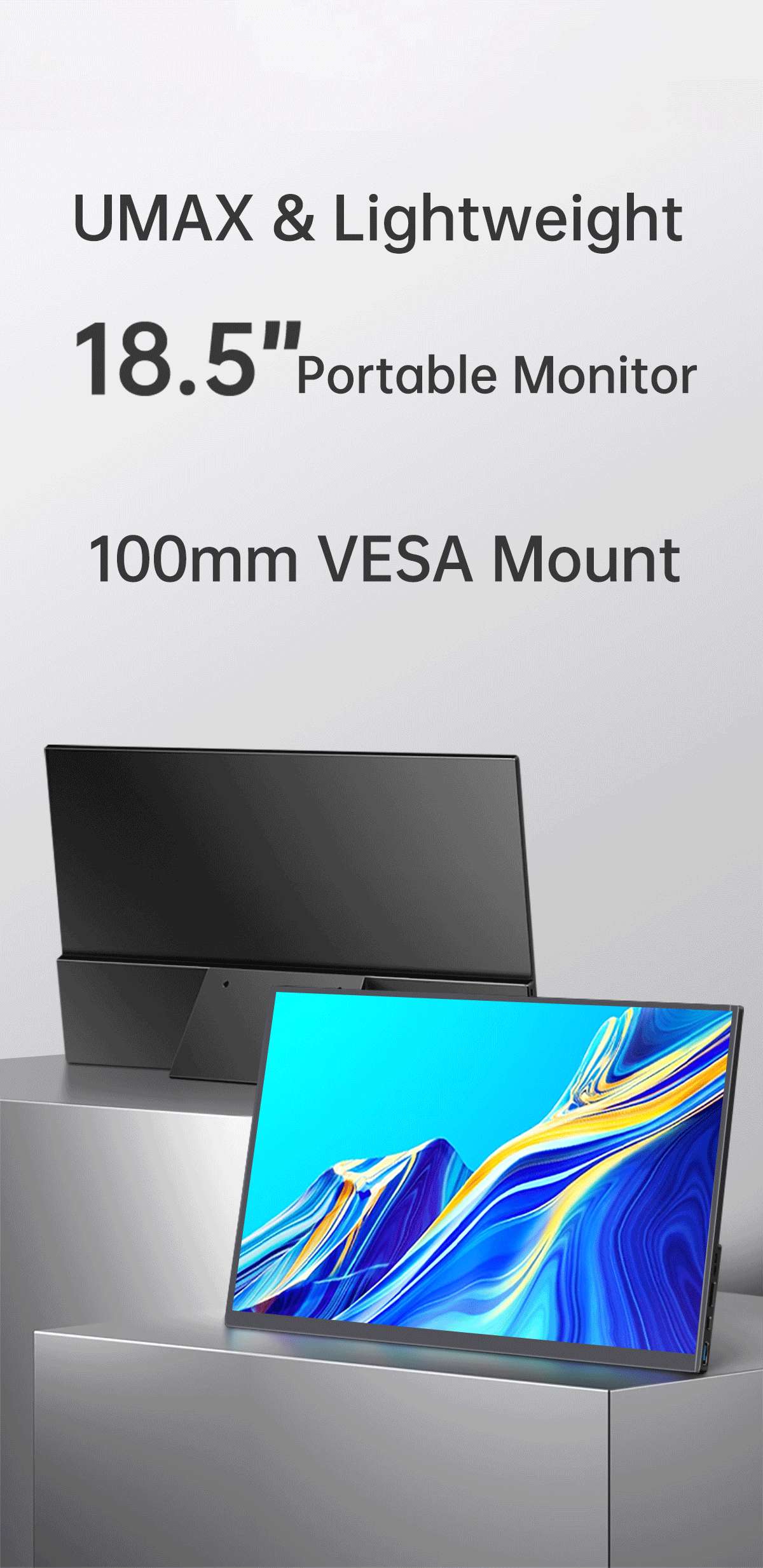
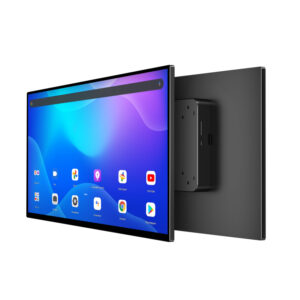
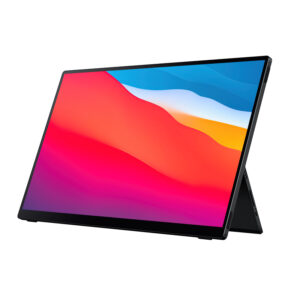
When your laptop screen limits productivity, a Portable Monitor gives you a practical way to add more workspace without carrying a full-size desktop display. The 18.5-inch portable monitor from Shenzhen Weichensi Technology Co., Ltd. combines a large Full HD screen, slim construction, USB-C connectivity, and touch functionality for users who need flexible display solutions.
With a 1920 × 1080 resolution, 100Hz refresh rate, 97% sRGB color gamut, and 10-point capacitive touch, this display suits mobile office work, programming, presentations, entertainment, and multitasking. Its compatibility with Windows, macOS, Android devices, and gaming consoles also makes it useful across different working environments.
Why Choose an 18.5-Inch Portable Monitor?
A larger screen can make mobile work more comfortable, particularly when you regularly switch between documents, spreadsheets, browser windows, and communication tools. Compared with smaller portable displays, the 18.5-inch portable monitor provides more usable screen space while maintaining a slim and lightweight form.
You can use it as a secondary display beside your laptop or as an independent external screen for compatible devices.
Key advantages include:
- 18.5-inch display: Provides a larger viewing area for multitasking.
- 1920 × 1080 resolution: Delivers Full HD image quality for everyday work and entertainment.
- IPS hard panel: Provides wide viewing angles and stable image performance.
- 100Hz refresh rate: Produces smoother motion for browsing, video, and gaming.
- 97% sRGB: Supports vivid and consistent color reproduction.
- 10-point capacitive touch: Enables responsive touch-based interaction.
- USB-C and HDMI: Supports flexible connection options.
- Built-in stereo speakers: Provides audio without requiring separate desktop speakers.
- Ultra-slim and lightweight design: Makes transportation easier for mobile users.
Portable Monitor Features for Productivity
If you frequently work away from a fixed office, display flexibility can directly affect your workflow. This 1080p portable monitor lets you expand your workspace when one laptop screen is not enough.
The 16:9 display provides a familiar desktop layout, while the IPS panel and 97% sRGB color gamut make it suitable for documents, presentations, design previews, and general content viewing. Meanwhile, the 100Hz refresh rate improves visual smoothness when you scroll through documents, browse websites, watch videos, or play compatible games.
The 10-point touch function adds another layer of interaction. For supported systems and applications, you can tap, swipe, or interact directly with the screen instead of relying only on a mouse and keyboard.
USB-C and HDMI Connectivity
The monitor supports USB-C with DP Alt Mode, HDMI, and USB-A for touch or power-related functions. This allows you to select a connection method according to your device and application.
It supports:
- Windows laptops and PCs
- macOS devices
- Android devices
- Tablets and smartphones with compatible output
- Gaming consoles with supported interfaces
Because connection requirements can vary between devices, you should verify USB-C video output and power requirements before purchase.
Portable Monitor for Different Use Cases
The product is designed around practical mobility rather than one specific application. You can use it in different environments where an additional screen improves visibility or productivity.
Mobile Office and Business Travel
If you work from hotels, coworking spaces, or temporary offices, a mobile office monitor can provide additional screen space without requiring a conventional desktop monitor. You can place email, reference documents, or communication software on the second screen while keeping your primary task on the laptop.
Programming and Multitasking
Developers can use the display as a secondary screen for code, documentation, terminals, or testing tools. The 18.5-inch size provides considerably more working area than a compact laptop display.
Presentations and Training
For presentations, education, and training environments, the larger display can provide a convenient external screen. The slim form also makes transportation between meeting rooms or classrooms easier.
Entertainment and Gaming
The 100Hz refresh rate and built-in stereo speakers make the display suitable for videos and compatible gaming devices. HDMI and USB-C connectivity provide additional flexibility depending on the source device.
Portable Monitor Specifications at a Glance
| Specification | 18.5-Inch Portable Monitor |
|---|---|
| Display Size | 18.5 inches |
| Resolution | 1920 × 1080 Full HD |
| Panel | IPS hard screen |
| Refresh Rate | 100Hz |
| Color Gamut | 97% sRGB |
| Touch | 10-point capacitive touch |
| Brightness | 250–350 nits, model dependent |
| Aspect Ratio | 16:9 |
| Connectivity | USB-C, HDMI, USB-A |
| Speakers | Built-in stereo speakers |
| Compatibility | Windows, macOS, Android, gaming consoles |
| Design | Slim, lightweight, portable |
How to Choose the Right Portable Monitor
Before purchasing a USB-C portable monitor, you should evaluate the following factors:
- Check your device output. Confirm whether your laptop, tablet, or phone supports video output through USB-C or requires HDMI.
- Select the right screen size. An 18.5-inch model suits users who prioritize workspace while still needing portability.
- Consider resolution and panel quality. Full HD and IPS provide a practical combination for office work, media, and general creative tasks.
- Evaluate refresh rate. A 100Hz display can provide smoother movement than a conventional 60Hz screen.
- Check touch requirements. If you need direct screen interaction, confirm that your operating system and connection method support the touch function.
- Review brightness needs. This model offers 250–350 nits depending on configuration, so consider your intended indoor or mobile environment.
- Confirm power requirements. USB-C power behavior can differ between host devices, so verify compatibility before deployment.
Why Work With Weichensi Technology?
Shenzhen Weichensi Technology Co., Ltd. has 9 years of industry experience in portable, medical, and industrial monitors. The company develops and manufactures display terminal products covering portable monitors, medical monitors, industrial monitors, industrial all-in-one machines, Android all-in-one machines, and advertising all-in-one machines.
Its production process covers product design, solution development, manufacturing, assembly, and quality control. The company also reports 20+ product certifications, 10+ authorized patents, and 100+ global partners, demonstrating an established approach to product development and international business support.
For buyers looking for a Portable Monitor manufacturer or supplier, this combination of product range, production capability, technical development, and quality management can support both standard product procurement and broader display solution requirements.
FAQ
Is an 18.5-inch portable monitor suitable for laptops?
Yes. The monitor can work as an external or secondary display for compatible laptops. USB-C with DP Alt Mode and HDMI provide flexible connection options, subject to the laptop’s output capabilities.
Does this portable monitor support touch?
Yes. The product supports 10-point capacitive touch. Touch performance depends on the connected device, operating system, and connection configuration.
What is the resolution of this portable monitor?
The monitor uses a 1920 × 1080 Full HD resolution with an IPS hard panel. It also offers a 100Hz refresh rate and 97% sRGB color gamut.
Conclusion
If you need a larger second screen without moving to a conventional desktop monitor, an 18.5-inch Portable Monitor offers a practical balance between screen space, connectivity, and mobility. With Full HD resolution, IPS technology, 100Hz refresh rate, 97% sRGB, 10-point touch, USB-C, and HDMI, this model supports mobile office work, programming, presentations, entertainment, and multitasking.
Contact Shenzhen Weichensi Technology Co., Ltd. to discuss product specifications, compatibility, bulk purchasing, or your portable display requirements. Share your device type, preferred interface, quantity, and application scenario so the team can recommend a suitable configuration.
Add comment