


An industrial touchscreen computer must do more than display information. In production lines, factory workshops, and equipment control rooms, you need a reliable interface that supports continuous operation, responds accurately to touch commands, and withstands dust, moisture, and vibration. An Android Touch All-in-One combines computing hardware and an interactive display in one integrated unit, helping you simplify equipment installation and improve operator interaction. However, choosing the right model requires careful evaluation of screen specifications, operating systems, cooling methods, and environmental protection. The 21.5-inch Android industrial all-in-one computer from Shenzhen Weichensi Technology Co., Ltd. addresses these requirements with Android 14, ten-point capacitive touch, fanless cooling, and IP45 protection.
What Makes an Android Touch All-in-One Suitable for Industrial Use?
Unlike a standard desktop computer, an industrial Android all-in-one PC needs to operate reliably in demanding environments. You may install it directly into production equipment, control cabinets, or operator workstations, where stable performance and convenient interaction are essential.
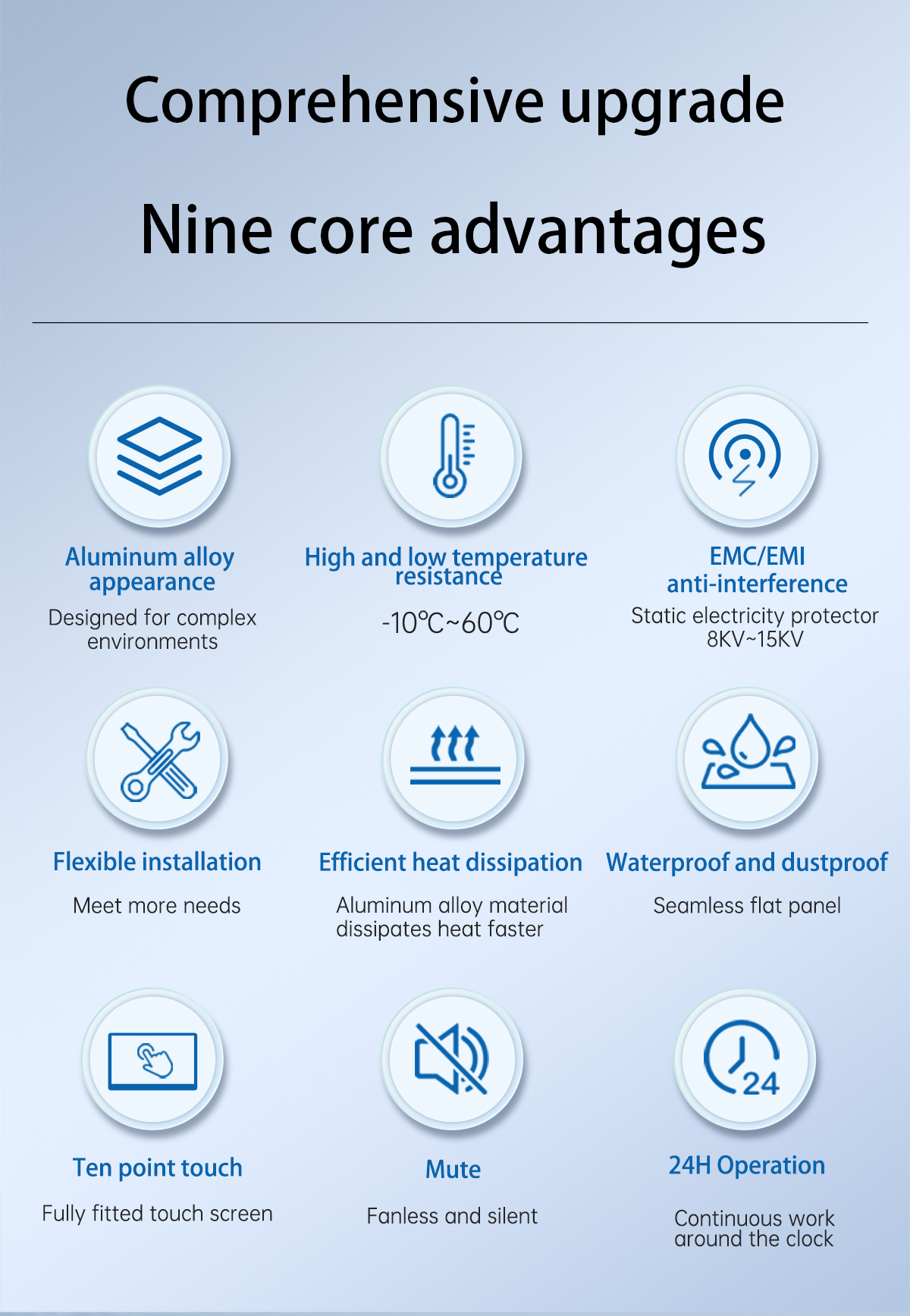
This 21.5-inch model integrates its computing platform and Full HD touchscreen into one aluminum alloy housing. Its main features include:
- Android 14 operating system: Supports Android-based applications and interactive interfaces.
- RK3588 platform: Provides an ARM-based computing solution for industrial applications.
- Ten-point capacitive touch: Allows responsive multi-touch interaction for equipment operators.
- IP45 protection: Helps protect the unit against dust ingress and water splashes.
- Fanless cooling: Eliminates mechanical cooling fans and reduces dust accumulation.
- Aluminum alloy construction: Provides a durable enclosure for industrial installation.
These features make the system suitable for applications requiring an integrated touchscreen and embedded computing platform.
21.5-Inch Android Industrial All-in-One PC Specifications
Screen size and processing capabilities directly affect how effectively you can use an industrial touchscreen computer. A larger display gives operators more space to view equipment parameters, monitor production data, and interact with control interfaces.
The following table summarizes the product’s key specifications.
| Specification | Details |
|---|---|
| Screen Size | 21.5 inches |
| Processor Platform | RK3588 |
| CPU Configuration | 4 × Cortex-A76 + 4 × Cortex-A55 |
| Memory | LPDDR4, 4GB / 8GB / 16GB options |
| Operating System | Google Android 14 |
| Graphics | Mali-G610 |
| Resolution | 1920 × 1080 Full HD |
| Brightness | 400 nits |
| Contrast Ratio | 1200:1 |
| Power Input | DC 12V 3A |
| Touch Technology | Ten-point capacitive touch |
| Cooling | Fanless |
Fanless Cooling and IP45 Industrial Protection
Industrial computers often operate in environments where airborne dust, moisture, and vibration can affect hardware reliability. Therefore, enclosure protection and thermal management deserve particular attention.
This Android industrial panel PC features an IP45-rated design and an aluminum alloy body. The enclosure helps limit dust and water ingress, making it suitable for factory workshops, production lines, and substations.
Its fanless cooling structure offers additional practical benefits:
- No mechanical cooling fan, reducing moving components.
- Less dust drawn into the enclosure through fan airflow.
- Lower operating noise in industrial workspaces.
- Reduced maintenance requirements associated with cooling fans.
The manufacturer reports approximately 30% lower energy consumption with its fanless cooling structure and an average backplane lifespan exceeding 50,000 hours. These figures should be evaluated against the actual operating conditions and test methodology.
Where Can You Use an Android Touch All-in-One?
The combination of Android 14, a 21.5-inch Full HD screen, and capacitive touch makes this industrial touchscreen computer suitable for several applications.
1. Factory Production Line Monitoring
You can integrate the touchscreen into production workstations to display operating parameters, production status, and equipment information. Operators can use the interface to check data and interact with compatible industrial applications.
2. Industrial Equipment Control
For machinery manufacturers and system integrators, an Android panel PC provides a compact interface for equipment operation. Its ten-point capacitive touch supports interactive control panels and monitoring interfaces.
3. Substation Monitoring
The IP45-rated enclosure and reported vibration resistance make this model a potential option for monitoring terminals in substations and other industrial facilities. Actual suitability depends on the installation environment and applicable electrical safety requirements.
4. Commercial and Smart Display Applications
Beyond industrial control, you can adapt an Android all-in-one computer for information displays, interactive terminals, and commercial applications that require an integrated touchscreen.
Android Touch All-in-One vs. Standard Desktop PC
Choosing between an industrial Android all-in-one and a conventional desktop computer depends on your application requirements.
| Comparison | Android Industrial All-in-One | Standard Desktop PC |
|---|---|---|
| Operating System | Android 14 | Usually Windows or Linux |
| Hardware Design | Integrated touchscreen computer | Separate computer and monitor |
| Cooling | Fanless design | Often fan-based |
| Touch Interaction | Ten-point capacitive touch | Depends on monitor |
| Protection | IP45-rated product design | Varies by model |
| Installation | Suitable for industrial integration | Requires additional mounting |
| Typical Applications | Industrial control, monitoring | Office and general computing |
If your application relies on Android software, integrated touch interaction, and industrial installation, an Android industrial all-in-one may simplify system integration. However, Windows-based software compatibility and specialized computing requirements may make a Windows industrial PC more appropriate.
How to Select the Right Industrial Android All-in-One PC
Before purchasing an industrial touchscreen computer, evaluate the following factors to avoid compatibility issues.
- Define your application: Identify whether you need production monitoring, equipment control, data visualization, or interactive information display.
- Check computing requirements: Confirm that the processor platform, RAM capacity, and Android version support your intended applications.
- Evaluate screen performance: Consider screen size, Full HD resolution, brightness, contrast, and touch responsiveness.
- Assess environmental conditions: Check IP protection, operating temperature, vibration resistance, and installation requirements.
- Confirm customization options: Discuss interface expansion, mounting methods, system configuration, and other hardware requirements with the manufacturer.
Working through these steps helps you select a solution that matches your equipment architecture and operating environment.
Why Choose Shenzhen Weichensi Technology?
Shenzhen Weichensi Technology Co., Ltd. specializes in the research, development, and manufacturing of display terminal devices, with 9 years of industry experience.
Its product portfolio covers portable monitors, medical monitors, industrial monitors, industrial all-in-one computers, Android all-in-one machines, and advertising displays.
The company’s manufacturing and quality capabilities include:
- 20+ product certifications, supporting its product compliance and quality management efforts.
- 10+ authorized patents, reflecting its investment in product development and technical innovation.
- 100+ global partners, demonstrating its international business network.
- Modern production lines and testing equipment for manufacturing and quality inspection.
- Product development, solution design, manufacturing, and assembly capabilities.
Weichensi also provides customization options for industrial display terminals, including interface expansion, installation methods, and system platforms. This allows equipment manufacturers and system integrators to discuss configurations based on their project requirements.
FAQ
1. Does this Android Touch All-in-One support continuous 24/7 operation?
The manufacturer states that the backplane has an average lifespan exceeding 50,000 hours and that the design meets continuous 24/7 operating requirements. Actual service life depends on operating temperature, workload, and maintenance conditions.
2. Is the 21.5-inch Android industrial panel PC suitable for factory environments?
Yes. Its IP45 protection, aluminum alloy housing, fanless cooling, and reported vibration resistance make it suitable for various factory applications. You should still evaluate the specific environmental conditions before installation.
3. Can Weichensi customize the Android industrial all-in-one computer?
Weichensi supports customization of interfaces, installation methods, and system platforms. You can contact its technical team to discuss hardware configurations and compatibility requirements for your project.
Conclusion
Choosing the right Android Touch All-in-One can simplify industrial equipment integration while providing operators with a responsive interface for monitoring and control. With its 21.5-inch Full HD touchscreen, Android 14 platform, fanless cooling, and IP45 protection, this industrial all-in-one computer offers a practical solution for factory automation, production monitoring, and equipment interaction. Shenzhen Weichensi Technology Co., Ltd. combines nine years of display industry experience with manufacturing and customization capabilities to support different industrial display requirements.
Looking for a customized industrial Android panel PC?
Contact Shenzhen Weichensi Technology Co., Ltd. to discuss your screen size, memory configuration, installation method, interface requirements, and application environment. Share your project specifications to help the team evaluate a suitable Android all-in-one solution.


Add comment