


When your laptop screen limits your workspace, carrying a full-size monitor is rarely practical. A USB-C Monitor gives you a more flexible way to add a second screen without taking up much space. The 10.5-inch portable monitor from Shenzhen Weichensi Technology Co., Ltd. combines a compact IPS display, 100% sRGB color coverage, HDR support, built-in speakers, and a lightweight 240g–400g design. You can place it in a backpack or briefcase and use it for business presentations, remote work, study, gaming, photography monitoring, or travel entertainment. With Type-C and HDMI connectivity, this display works with a range of laptops, tablets, smartphones, gaming consoles, and cameras.
Why Choose a Portable USB-C Monitor?
A portable display should solve a practical problem: how can you get more screen space without adding significant weight to your setup? This 10.5-inch USB-C monitor focuses on portability while retaining features that support professional and everyday use.
The monitor weighs approximately 240g–400g, making it easy to carry between offices, classrooms, meetings, and travel locations. Its slim body measures as little as 4–8mm thick, depending on the model.
For users who frequently work away from a fixed desk, the compact design provides several practical benefits:
- 10.5-inch display: Adds useful screen space while keeping the setup compact.
- 240g–400g weight: Easy to carry in a backpack, briefcase, or travel bag.
- 4–8mm thickness: Supports a slim and portable setup.
- Built-in stereo speakers: Useful for meetings, videos, presentations, and entertainment.
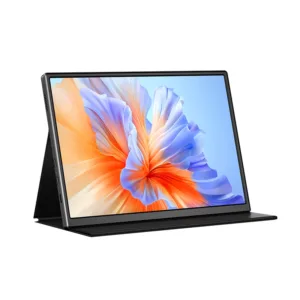
- Foldable protective stand cover: Available as an option for screen protection and multi-angle positioning.
IPS USB-C Monitor with 100% sRGB and HDR
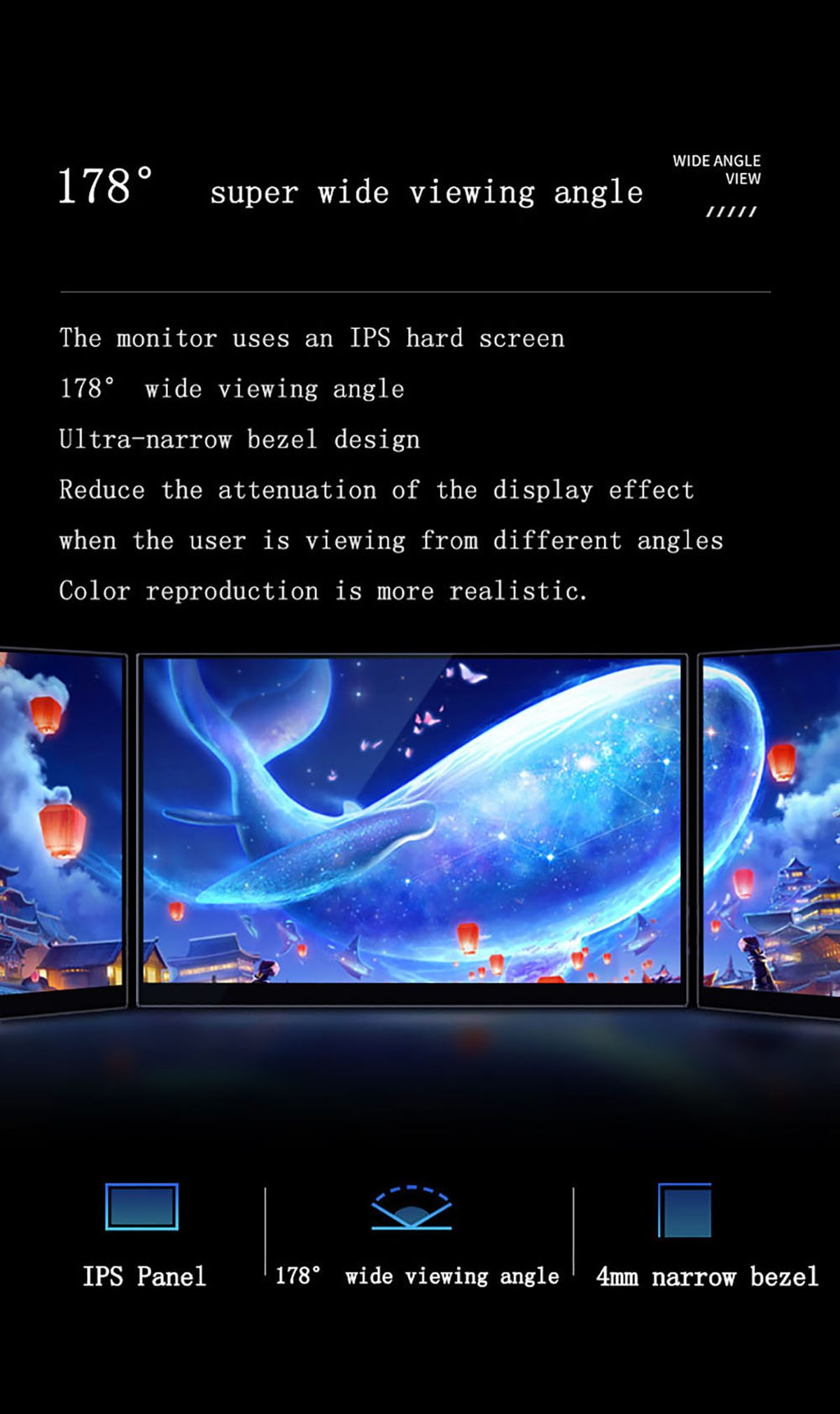
Display quality matters when you use a portable monitor for extended work sessions or visual content. The IPS hard screen provides a 178° viewing angle, helping maintain consistent colors when you view the display from different positions.
The monitor also covers 100% of the sRGB color gamut. This makes it suitable for tasks where color consistency matters, including photo review, design work, content checking, and presentation preparation.
HDR support further improves the viewing experience by expanding dynamic range and helping reveal details in darker areas. You can therefore use this portable USB-C monitor for both productivity and entertainment without relying on a larger desktop display.
USB-C Monitor Connectivity and Compatibility
The display uses Type-C and HDMI connectivity, supporting plug-and-play use with compatible devices. You can connect it as a secondary display for a laptop or use it with other supported mobile and entertainment equipment.
Potential applications include:
- Laptop-based office work and multitasking
- Business presentations and field meetings
- Study and education
- Gaming with compatible consoles
- Photography monitoring
- Travel entertainment
- Multi-device workstations
Because device ports and output capabilities vary, you should confirm your source device’s video-output compatibility before purchasing.
10.5-Inch USB-C Monitor Compared with a Standard Monitor
| Feature | 10.5-Inch Portable USB-C Monitor | Conventional Desktop Monitor |
|---|---|---|
| Screen size | 10.5 inches | Usually larger |
| Weight | 240g–400g | Generally heavier |
| Thickness | 4–8mm depending on model | Usually thicker |
| Portability | Designed for travel | Primarily fixed-location use |
| Display panel | IPS hard screen | Varies by model |
| Color gamut | 100% sRGB | Varies by model |
| HDR | Supported | Depends on model |
| Audio | Built-in stereo speakers | Depends on model |
| Connectivity | Type-C / HDMI | Varies |
| Typical use | Travel, office, presentations, gaming | Desktop workstation |
This comparison shows why a portable display can make sense when mobility matters more than having the largest possible screen.
How to Set Up Your USB-C Secondary Display
You can integrate the monitor into your workflow in a few straightforward steps:
- Check your device: Confirm that your laptop, tablet, phone, console, or camera supports the required video-output connection.
- Choose the connection: Use the appropriate Type-C or HDMI connection based on your device.
- Connect the monitor: Plug in the display and allow the source device to recognize it.
- Select the display mode: Configure the screen as an extended or secondary display where supported.
- Adjust the viewing position: Use the optional foldable protective stand cover to position the screen for your working environment.
This setup works particularly well when you need a second screen temporarily rather than installing a permanent monitor at your desk.
Why Consider Weichensi as a Display Supplier?
Shenzhen Weichensi Technology Co., Ltd. has 9 years of industry experience in portable, medical, and industrial monitors. Its product portfolio covers portable monitors, medical monitors, industrial monitors, industrial all-in-one machines, Android all-in-one machines, and advertising all-in-one machines.
The company states that it has 19+ product certifications, 9+ authorized patents, and 96+ global partners. Its manufacturing process includes product design, solution development, component processing, assembly, and testing, supported by quality-control procedures.
For B2B buyers, this broader product range can also be useful when you need more than one type of display solution. Instead of evaluating a portable monitor in isolation, you can discuss requirements across portable, industrial, medical, or all-in-one display applications with the same manufacturer.
FAQ
Is this USB-C Monitor suitable for laptop use?
Yes. The monitor is designed as a portable secondary display and supports Type-C and HDMI connectivity. You should verify that your laptop supports video output through the selected connection.
What makes this monitor suitable for travel?
Its 240g–400g weight, slim 4–8mm thickness, 10.5-inch size, and optional foldable protective stand make it convenient for backpacks, briefcases, and travel bags.
Is this portable monitor suitable for color-related work?
The IPS panel provides a 100% sRGB color gamut and supports HDR. These specifications make it suitable for applications such as photo review, design-related work, presentations, and content checking, although professional color-critical workflows may require additional calibration requirements.
Conclusion
If you need extra screen space without carrying a conventional desktop monitor, the USB-C Monitor from Shenzhen Weichensi Technology Co., Ltd. offers a practical combination of portability and display performance. Its 10.5-inch IPS hard screen, 100% sRGB coverage, HDR support, built-in speakers, 240g–400g weight, and Type-C/HDMI connectivity make it suitable for mobile office work, presentations, study, gaming, photography monitoring, and travel.
CTA
Need a portable display solution for your business or project? Contact Shenzhen Weichensi Technology Co., Ltd. to discuss your application, device compatibility, display requirements, and potential product solutions. You can also explore the company’s portable, medical, industrial, and all-in-one display product range before requesting a quotation.



Add comment