


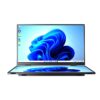
When you need a display that can handle continuous operation, touch interaction, dust, vibration, and demanding industrial environments, choosing a standard consumer computer can create reliability concerns. An Android Touch Screen PC gives you an integrated solution that combines computing, display, and touch control in one enclosure. This industrial model from Shenzhen Weichensi Technology Co., Ltd. uses Google Android 14, a fanless design, 10-point capacitive touch, and IP45 protection. With a 1920×1080 Full HD display, 400-nit brightness, and 12V DC power input, you can deploy it for equipment control, production-line monitoring, factory workshops, substations, and other professional environments.
Why Choose an Android Touch Screen PC?
For industrial applications, you need more than a bright display. You also need stable computing performance, easy operator interaction, effective thermal management, and a physical design that can withstand the working environment.
This Android Touch Screen PC integrates these requirements into a single industrial all-in-one machine. Its aluminum alloy body and dustproof and waterproof panel help protect internal components, while IP45 protection provides an additional level of environmental resistance.
The fanless structure also removes the need for conventional cooling fans. As a result, you can reduce dust intake and mechanical noise while supporting continuous operation.
Key Specifications
- Operating System: Google Android 14
- CPU: 4 × Cortex-A76 + 4 × Cortex-A55 cores, up to 2.4 GHz
- Memory: LPDDR4 4GB / 8GB / 16GB optional
- GPU: Mali-G610
- Display Resolution: 1920 × 1080P Full HD
- Brightness: 400 nits
- Color Gamut: 72% NTSC / 100% sRGB according to the supplied specifications
- Contrast Ratio: 1200:1
- Touch: 10-point capacitive touch
- Power Input: DC12V 3A
- Protection: IP45
- Cooling: Fanless and silent
- Backplane Life: More than 50,000 hours average
- Operation: Designed for continuous 24/7 applications
Android Touch Screen PC for Factory Control
A factory control environment often requires operators to monitor data and interact with equipment from the same interface. Instead of installing a separate computer and monitor, you can use an integrated Android panel PC to reduce the number of hardware components.
For example, you can install the unit on a production line where operators need to view operating parameters, access a control interface, or interact with industrial software. Its 10-point capacitive touch panel provides direct interaction, while the fanless construction helps maintain stable operation in dusty production environments.
The same concept applies to substations and equipment rooms. Strong electromagnetic interference can affect sensitive electronic equipment, so this model incorporates EMI immunity to support operation in environments with electromagnetic interference.
Applications
You can consider this Android industrial all-in-one for:
- Production-line monitoring and control
- Factory equipment interfaces
- Industrial automation systems
- Substation monitoring
- Data monitoring terminals
- Equipment control panels
- Commercial and industrial touch applications
- Customized embedded display systems
Fanless Android Touch Screen PC vs. Standard PC
The right architecture depends on your application. A fanless industrial design can be particularly useful when reliability, dust resistance, and continuous operation matter more than conventional desktop expansion.
| Feature | Fanless Android Touch Screen PC | Standard Desktop PC |
|---|---|---|
| Operating System | Google Android 14 | Commonly Windows or other OS |
| Cooling | Fanless | Usually active fan cooling |
| Touch Control | 10-point capacitive touch | Often requires external touchscreen |
| Protection | IP45 industrial design | Typically not industrial-rated |
| Installation | Integrated all-in-one structure | Separate components may be required |
| Industrial Use | Factory control, monitoring, equipment interfaces | General office applications |
| Continuous Operation | Designed for 24/7 applications | Depends on hardware configuration |
How to Select an Industrial Android Panel PC
Before purchasing an industrial touch computer, you should evaluate the complete application rather than focusing only on screen size or processor performance.
- Define the application: Determine whether you need equipment control, monitoring, HMI interaction, or another industrial interface.
- Check the environment: Consider dust, moisture, vibration, electromagnetic interference, and operating temperature.
- Select the hardware: Match CPU performance, memory, display resolution, brightness, and touch functionality to your software.
- Confirm installation requirements: Check mounting options, interface expansion, power input, and available space.
- Discuss customization: If your project requires a specific interface, installation method, or system platform, confirm customization capabilities with the manufacturer.

Why Work With Shenzhen Weichensi Technology?
Shenzhen Weichensi Technology Co., Ltd. has 9 years of experience in portable, medical, and industrial monitor development and manufacturing. Its product portfolio covers portable monitors, medical monitors, industrial monitors, industrial all-in-one machines, Android all-in-one machines, and advertising all-in-one machines.
The company operates a complete production system covering product design, solution development, manufacturing, and assembly. Its factory includes modern production lines and testing equipment for controlled and consistent production.
Weichensi also reports 20+ product certifications, 10+ authorized patents, and 100+ global partners. The company states that its quality management process covers multiple production stages, while its professional support helps customers develop display solutions for different applications.
Because industrial projects often require different interfaces, mounting structures, or software configurations, Weichensi also supports customization of interface expansion, installation methods, and system platforms.
FAQ
1. What is an Android Touch Screen PC?
An Android Touch Screen PC combines an Android computing platform, display, and touchscreen into one integrated device. It can serve as an operator interface for industrial equipment, monitoring systems, and other touch-based applications.
2. Is this Android panel PC suitable for 24/7 operation?
The supplied product specifications state that the backplane has an average lifespan exceeding 50,000 hours and that the machine is designed for continuous 24/7 operation. You should still confirm the exact operating temperature and environmental conditions for your installation.
3. Can the Android Touch Screen PC be customized?
Yes. According to the supplied product information, customization options include interface expansion, installation methods, and system platforms. You can discuss your application requirements with Weichensi before placing a project order.
Conclusion
If you need an integrated industrial computer for equipment control, production-line monitoring, or continuous touch interaction, an Android Touch Screen PC can combine the functions you need in a single industrial enclosure. With Android 14, 10-point capacitive touch, 400-nit Full HD display, fanless cooling, IP45 protection, and a design intended for 24/7 applications, this model provides a practical platform for industrial deployment. Shenzhen Weichensi Technology Co., Ltd. can also discuss hardware and system customization according to your project requirements.
CTA
Contact Weichensi Technology with your required screen size, mounting method, operating environment, Android configuration, and interface requirements to discuss a suitable industrial Android panel PC solution.



Add comment